Spells
All Underlords have the ability to focus their mana and cast Spells. The right spell at the right time can be the difference between victory or humiliating defeat. Most spells have a Mana cost, and some spells also have an Mana Upkeep that locks some mana until the spells effects is finished.
Depending on the game mode you will start with some spells while others may be available to unlock from the Veins of Evil. Some spells are unavailable in some game modes.
Mana
In the campaigns you will usually have a set amount of maximum mana that does not change. However in Skirmish, Multiplayer, and The Under Games, your maximum mana increases as you research new Sins in the Archive, by claiming more territory, building Mana Wells or claiming Mana Shrines. Increasing your maximum mana is very useful as your Defences will also lock some of your available Mana.
Recall

Teleports a minion back to the safety of your dungeon. If during the 5-second channel time the target is attacked, the spell will be interrupted. Cast on Warband icons to recall the entire group. Can be used anywhere on the map.
Don't underestimate this spell. Recalling large groups of minions by casting it on Rally Flags are extremely useful if you need to something fast.
Possession

Seizes a minion's mind so you can see the world through their eyes and control their actions. The host becomes empowered and has increased combat effectiveness. Press Spacebar or Escape to relinquish control. Can be used anywhere on the map.
Single powerful units can become almost unstoppable when you are controlling them with this spell.
Unclaim
Removes your ownership or fortification of a tile, shrine or gateway.
This is useful in those cases where you have an ally and you want to relinquish control over something to your ally.
Shackle

Mana Upkeep: 75
Shackles an enemy's defence or construct, preventing it from activating or attacking. This effect lasts 10 seconds during which a portion of your mana is locked. This can't affect the same target again for 30 seconds. Can be used anywhere on the map.
Summon Worker

Mana cost: 50
Mana Upkeep: 50
Creates an additional Worker for you to command. Each Worker summoned beyond your default 5 will lock 50 mana. Can only be used within your own territory.
Note that some game modes let you have more than 5 workers before it starts locking mana.
Blood Money

Mana cost: 50
Transforms a prisoner or unwanted minion within your own territory into a solid gold statue. The amount of gold the statue contains depends on the level and value of the victim.
Very useful in those cases where gold is scarce, but you have a prison and plenty of enemies.
Volcanic Bridge

Mana cost: 50
Summons a Volcanic Bridge over Water or Lava. This bridge is Neutral and can be claimed and sold by any Underlord. Can be used anywhere on the map.
This spell is very useful for saving money, the only downside is that your Workers must claim the Volcanic Bridge. Stone Bridges are expensive, but instantly yours, so you save time.
Annex
Mana cost: 75
Digs out a wall tile or claims a ground tile adjacent to your own territory. Takes multiple casts to dig out a gold tile. Cannot be cast on walls or tiles claimed by an enemy.
This spell can be useful in speeding up the work of your Workers. You can help with digging, or directly claim neutral territory.
Lightning

Mana cost: 100
Calls down a thunderous bolt of energy, damaging and stunning a single enemy. Can only be used within your own territory.
Your default offensive spell. Very useful in helping to defend against invasions on your territory.
Empowered Banshee
Mana cost: 100
Mana Upkeep: 100
Calls forth a powered-up Banshee which instinctively hones in on the nearest enemy Dungeon Core, Core Shard or Underhill. It detonates as soon as it encounters an obstacle or is slapped, dealing more damage the more health it has left. Empowered Banshees take a short time to summon, during which they are vulnerable to attack. Can only be used within your own territory.
Obey

Mana cost: 150
Forces the target to ignore their needs and work at an increased rate for 20 seconds. Can be used anywhere on the map.
This is an extremely useful spell. It keeps your minions working faster, and for longer without caring about their needs. Don't overlook the usefulness of this spell, especially early in the game.
Enrage

Mana cost: 150
Empowers a minion for a short time, making them fearless and increasing their speed and strength, but also making them careless and more vulnerable to attack. Can be used anywhere on the map.
This spell is very useful when you need to deal more damage, and you don't need to worry about your minions dying.
Prophecy

Conjures a vision, temporarily removing the Fog of War in a large area. Can be used anywhere on the map.
One of the most useful spells early on. Let's you scout out the terrain before you dig into something potentially dangerous. Also helpful in finding secrets and Artefacts.
Heal

Mana cost: 200
Shares a handful of healing around all of your injured minions in the area. Can be used anywhere on the map.
Keep this ready when your minions are attacking the enemy.
Forge

Mana cost: 250
Repairs a defence or adds a Defence Part to a defence blueprint. Can only be used within your own territory.
Cast this spell on your defences before they are destroyed. The same effect can be obtained by manually dropping defence parts on a damaged defence. But if you don't already hold defence parts in your Hand of Evil, then casting this spell is faster.
Shockwave

Mana cost: 300
Blasts the ground with eldritch energy, knocking back all units including your own. Can only be used within your own territory.
This is the perfect spell for splitting up groups that are attacking your dungeon. Another good use of this spell is to push attackers into your defences.
Magical Meat
Mana cost: 300
Summons plentiful Micropiglets from thin air. These will feed nearby minions and also replenish their health and energy, allowing them to fight for longer before returning home for food and rest. Can be used anywhere on the map.
Gild

Gold cost: 500
Consumes 500 gold from your Vault and transfers it to the target minion, which reduces the amount they take at their next Payday. This is also the only way to heal golden Sentinels and the Colossus. Can be used anywhere on the map.
Rally
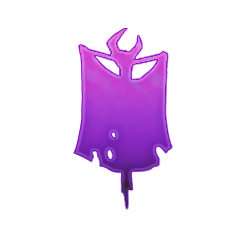
Rally is a group of spells that are not available from the Spells tab, but next to the Minimap.
The normal Rally spell will cause all your minions to follow the Rally Flag and ignore their jobs and needs until you dismiss the Rally Flag. There are special Rally Flags for your Beasts, Vampires and some other units, and you can even create custom Rally groups. Some units may be put in the Peaceband, which prevents them from following Rally Flags.
If you put a Rally Flag directly on something that can be attacked, such as a Defence or Dungeon Core, then most of your minions will try to directly target that object. This is useful to make your minions focus on something like a Dungeon Core to try and win faster.
Worker Rally
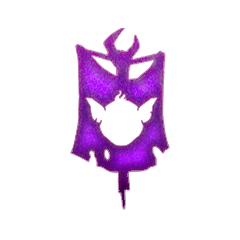
This will make your Workers focus on jobs in the area surrounding the Rally flag. Very useful when you want to prioritize some tasks for your workers.
Impasse

This will prevent your workers from claiming tiles within the area defined by the Impasse flag. If you click on the Impasse flag, it will toggle to prevent your workers from even moving over the area defined by the flag.
Normal Impasse is very useful when you simply want to keep your Workers from claiming further along an area, but you still want them to be able to move over the Impasse flags for other tasks. The toggled Impasse that prevents worker from moving past it useful if the area beyond is lethal for your workers and you want to ensure they stay away.